How the weekly schedule is created
Inf CRM generates the club's working schedule for a week from the services configured in the system. A service defines the purpose of a class and becomes the foundation of the operating plan used by administrators, managers and trainers.
The schedule is designed for internal club operations, showing the services and sessions planned for each day of the week.
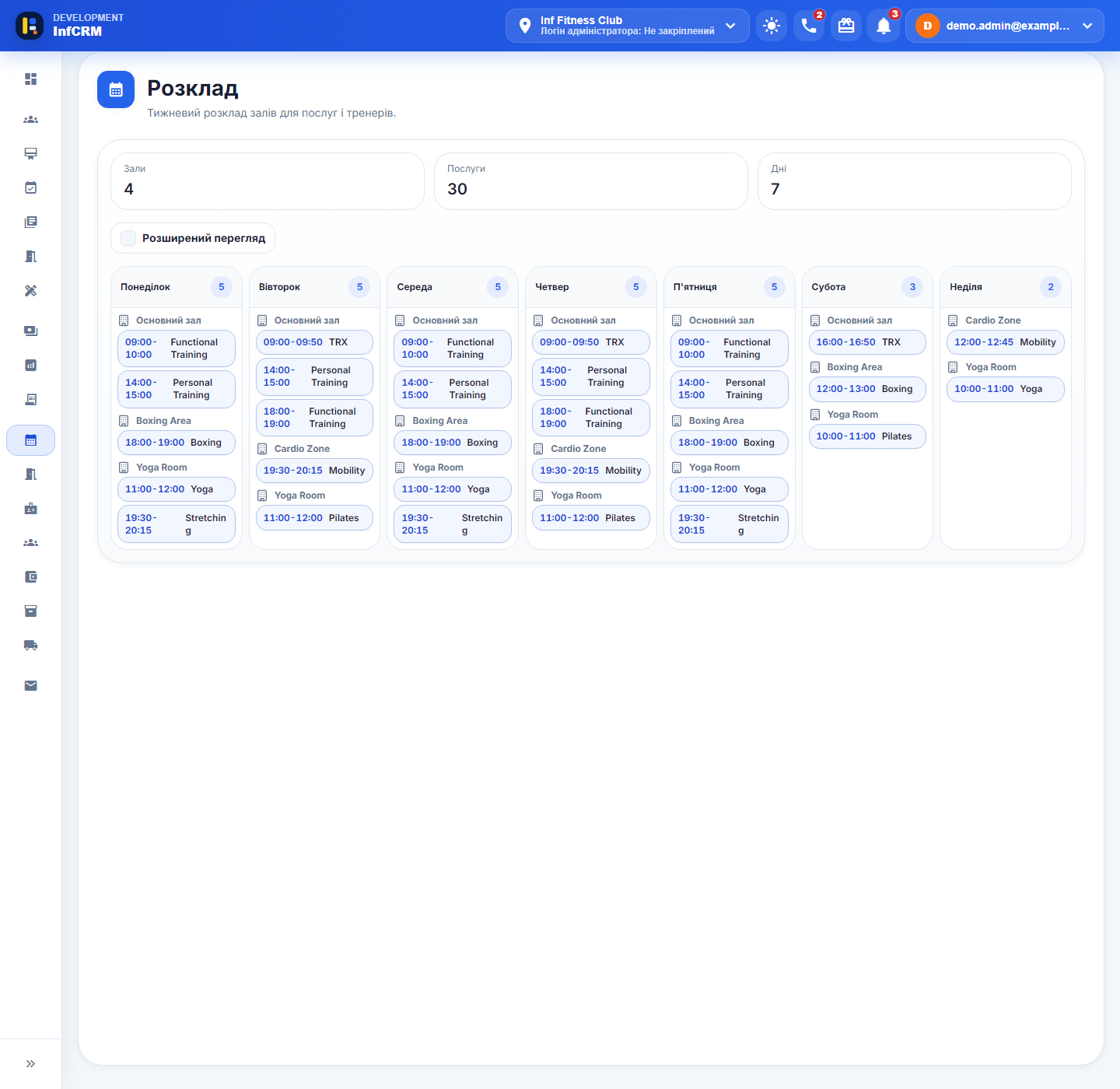
From services to a clear weekly plan
When the service catalogue already lives in the CRM, the team does not need to describe the same classes again in a separate spreadsheet. Inf CRM uses those services to create the structure of the working week.
This keeps class names and operating logic consistent and makes the schedule part of the same data environment as the rest of the club.
- One service catalogue
- Weekly schedule generation
- A clear class structure
- One source of information for the team
For reception staff
Reception gets a practical overview of the week and can quickly check which sessions are planned. Staff do not have to find the latest file or ask whether another shift has already updated a spreadsheet.
- Review the current week
- Find the required class quickly
- Reduce differences between shifts
- Work from one current schedule
For club managers
Managers see the weekly plan in the context of other Inf CRM data. The schedule stops being an isolated document and becomes part of the club's operating system alongside services, employees and rooms.
For trainers and the wider team
A shared plan helps employees understand the structure of the week and prepare for upcoming sessions. This is especially useful for clubs with several service categories, rooms or reception shifts.
What the scheduling module covers
The Classes tab gives the team a weekly calendar with group services, times, rooms, and current occupancy. Opening a class reveals confirmed clients, their memberships, and the number of places left.
The Trainers tab shows working shifts and personal appointments. When a group is full, clients can be kept on a separate waitlist with positions based on booking order. The redesigned schedule preview shows how administrators manage groups, trainer bookings, and waitlists.
Scheduling inside one CRM
Services, rooms, trainer shifts, group classes, and client bookings live in one product. The team no longer needs a separate calendar, participant spreadsheet, and manually maintained waitlist.
Questions about the new schedule
Can club staff manage client bookings for group classes?
Yes. Class details show confirmed clients, their booking status, and the membership used for the visit.
What is the difference between the Classes and Trainers tabs?
Classes shows the weekly group-service calendar with rooms and occupancy. Trainers shows working shifts and personal client appointments.
Can staff see how many places remain in a class?
Yes. The calendar shows current occupancy against the class limit, while class details show the exact confirmed count and remaining places.
What happens when a class is full?
Clients can be added to a separate waitlist. The queue follows booking order, and each client has a visible position.
Can staff see which membership a client is using?
Yes. The membership appears beside the client in the list of confirmed class participants.
What period does the schedule show?
The main calendar shows one working week, keeping classes, rooms, trainer shifts, and bookings in the same context for reception and managers.